Plan Sprints That Actually Ship
From quarterly planning cycles down to daily stand-ups — Dragon Planner gives your team the structure to plan sprints that deliver real results.
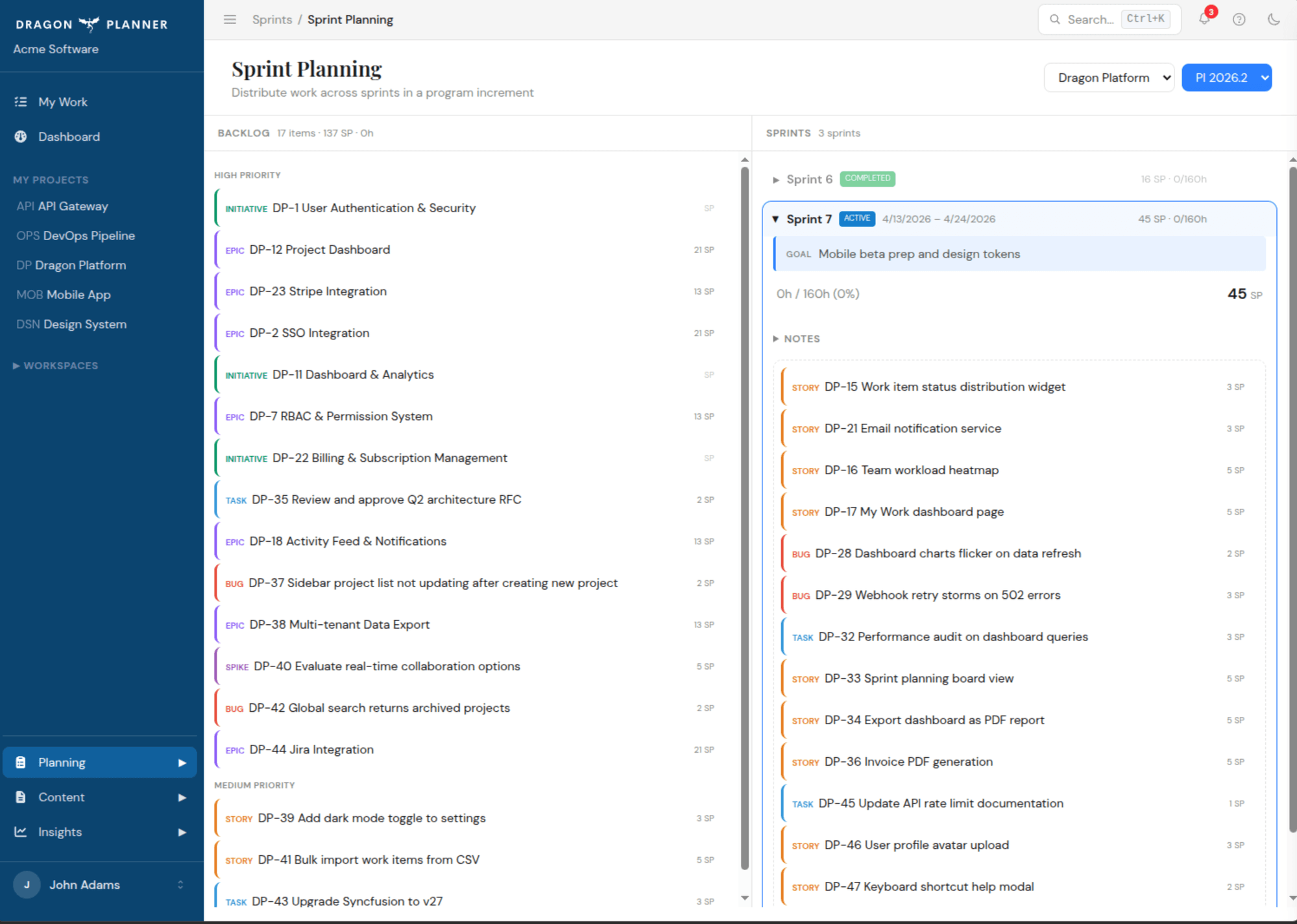
Program Increments
Plan at the program level with quarterly cycles that keep your team aligned on big-picture goals. Each program increment contains a cadence of sprints with clear boundaries.
- Quarterly planning cycles with defined start and end dates
- Sprint cadences within each increment
- Holiday-aware date planning — sprints automatically adjust around team holidays
- Sprint goals that tie daily work back to quarterly objectives
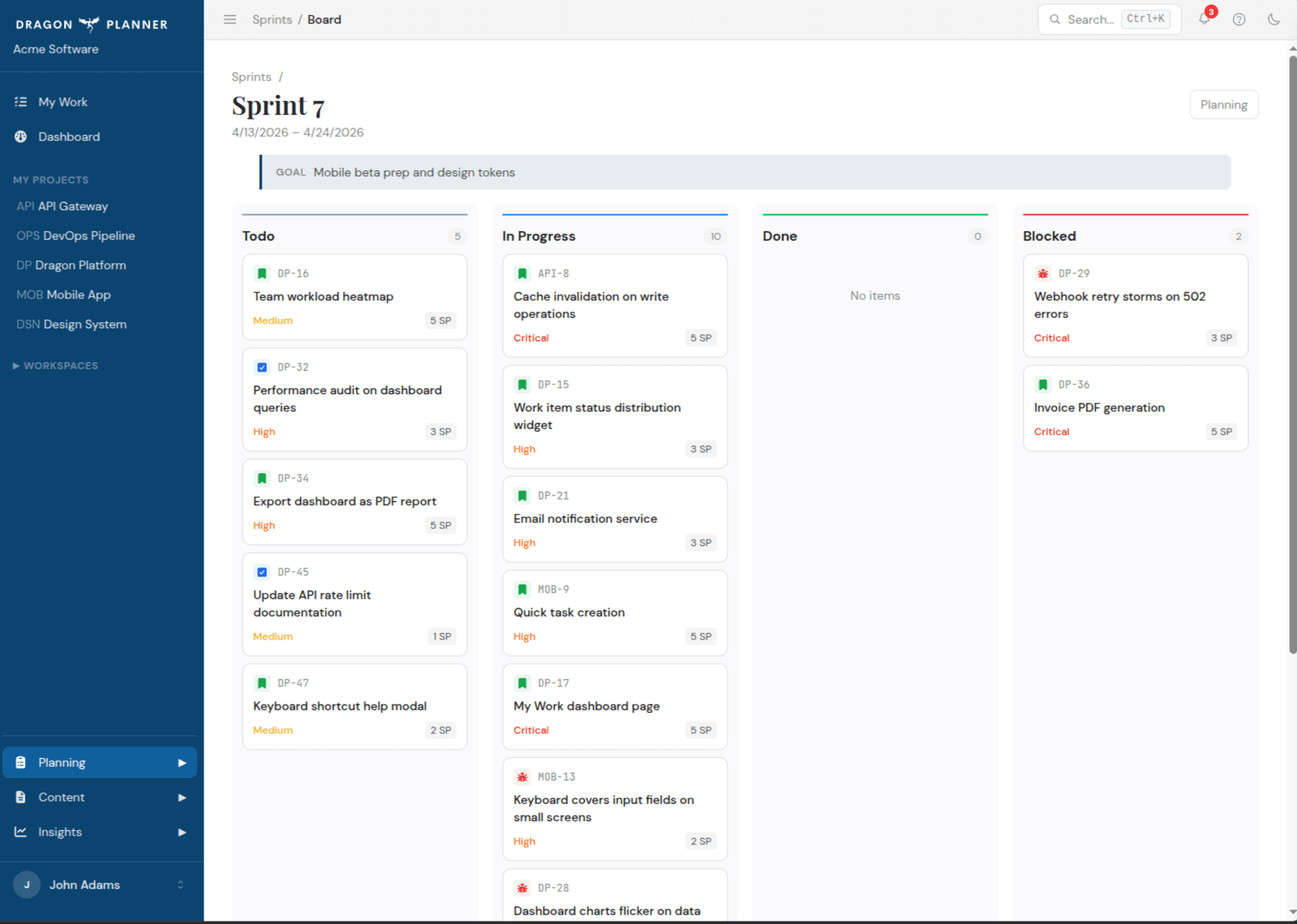
Sprint Lifecycle
Every sprint follows a clear lifecycle: Planning, Active, Completed. Transition between states with guardrails that keep your process honest.
- Planning — populate the sprint backlog, estimate work, set goals
- Active — one active sprint per project, drag-and-drop board for daily work
- Completed — close the sprint, review what shipped, carry over unfinished items
- Clear status indicators across dashboards and reports
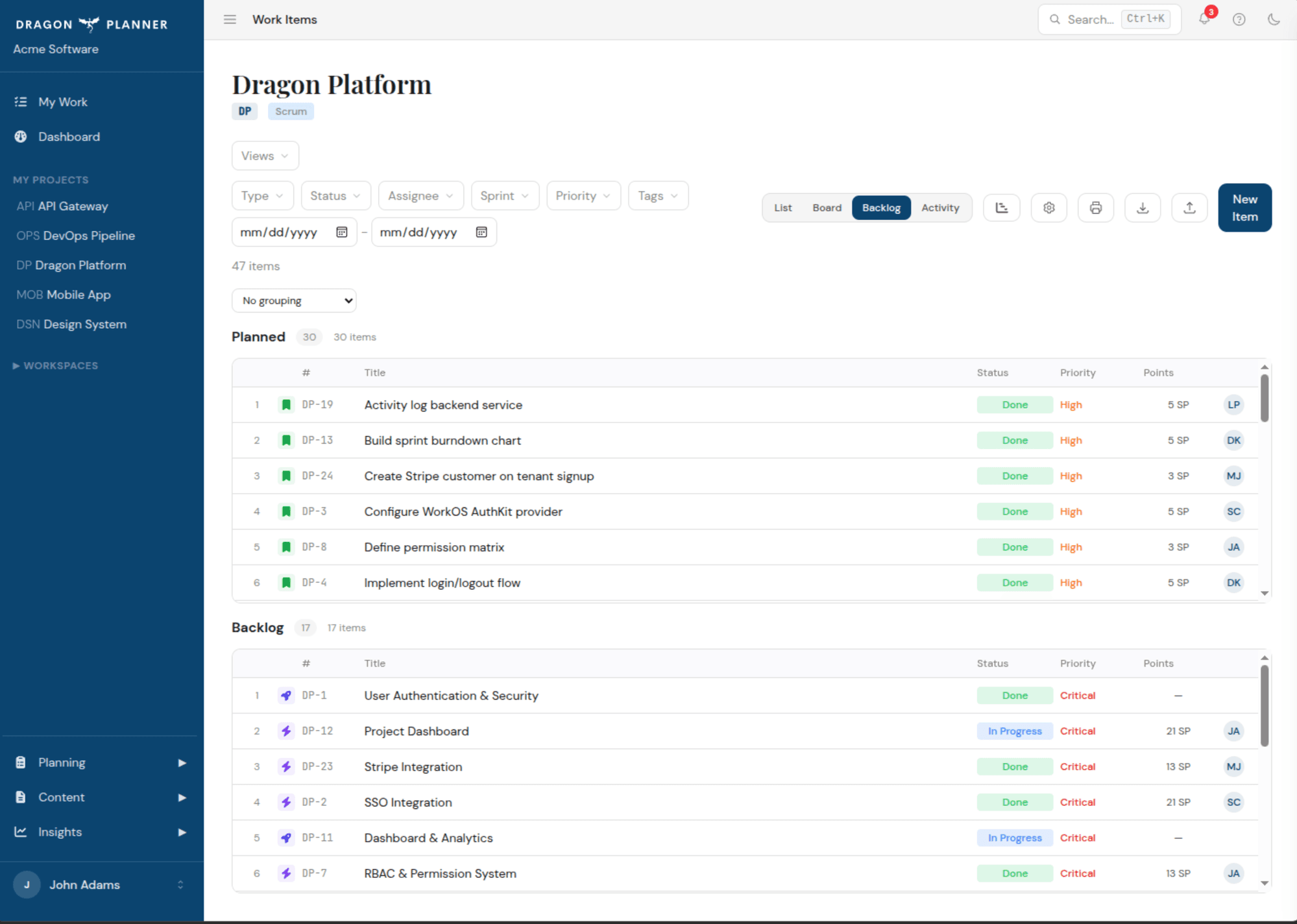
Boards That Fit Your Workflow
Choose the board style that matches how your team works. Scrum teams get sprint boards with status columns. Kanban teams get a continuous flow board per project.
- Sprint boards — status columns tied to the active sprint
- Kanban boards — continuous flow view for the entire project
- Choose methodology per project — no forced one-size-fits-all
- Visual status updates with drag-and-drop card movement
Smart Recommendations
The recommendation engine surfaces unblocked, highest-priority work — so your sprint planning starts with the right items.
Sprint Goals
Set clear goals for each sprint to keep the team focused. Goals are visible on dashboards and in AI assistant context.
Holiday-Aware Planning
Mark team holidays and the sprint calendar adjusts automatically. No more planning work into weeks nobody is around.
Explore more features
AI Planning
Connect any MCP-compatible AI assistant directly to your project data with 15 tools across 4 categories.
Dashboards
Three levels of dashboards — organization, workspace, and project — so you always know where things stand.
Work Items
Seven work item types with configurable hierarchy rules — strict or relaxed. Dependencies and cascade completion.
Collaboration
Comments, real-time notifications, role-based access, and file attachments — everything your team needs to stay in sync.
Ready to plan like a dragon?
Free to start. No credit card required. Upgrade when your team grows.
Get started free→